Firebase Dynamic Links shut down: what to use now
On this page
For years, Firebase Dynamic Links was the default answer to "how do I make one link that works for my app on iPhone,
Android and the web". It was free, it came with Firebase, and it handled deep links through an install. It's gone now.
If you still have page.link addresses in old emails, printed QR codes or app code, they no longer work.
This post covers what happened, what each part of Dynamic Links did, and what replaces each part, so you only rebuild what you actually used.
What happened
So there's no grace period left, and no way to keep a page.link address alive. Anyone who taps one today sees an
error. The only thing you can change is where you send people from now on.
One knock-on effect is easy to miss: Firebase Authentication's email link sign-in used Dynamic Links. Google's FAQ says email link sign-in keeps working, but only with the newer Authentication SDKs, and older app versions that weren't updated lose those features. If your app signs people in with a magic link, check that first.
What Dynamic Links actually did
"Dynamic Links" was really four features under one name. Most apps used one or two of them.
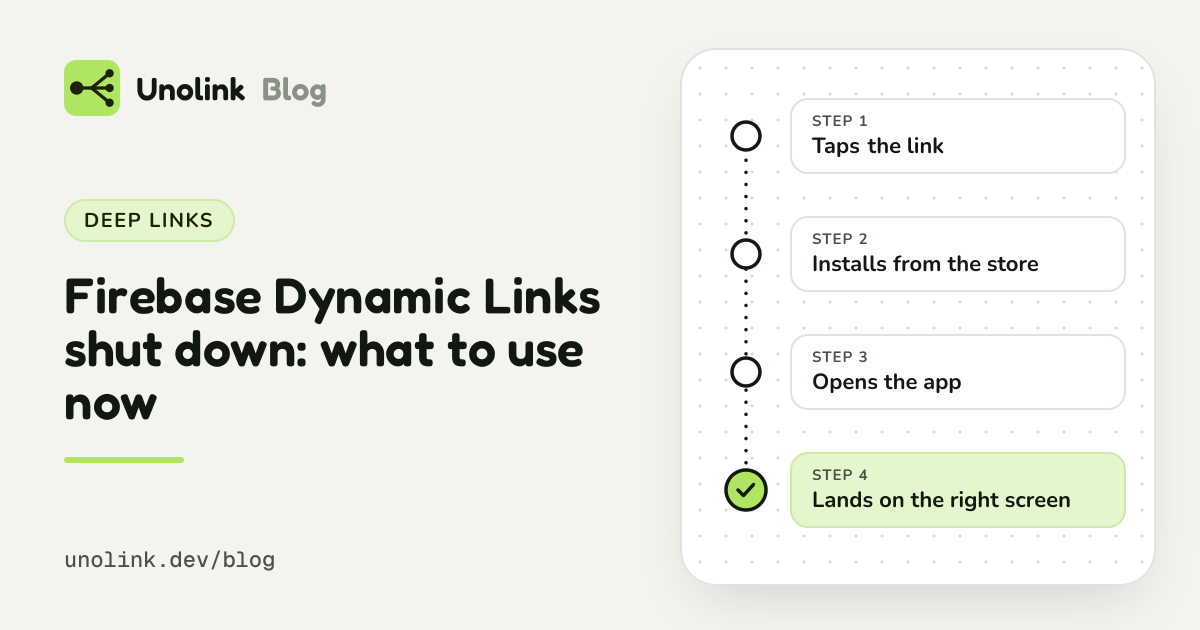
- Store routing. One address that sent iPhones to the App Store, Android phones to Google Play and computers to a website.
- Opening the app if it's installed. Tapping the link on a phone with the app opened the right screen inside it.
- Deferred deep links. Someone without the app tapped the link, installed the app, and on first open landed on the screen the link pointed to: an invite, a product, a shared list.
- Short links and basic click numbers.
Before choosing a replacement, go through your code and your marketing and write down which of the four you relied on. It decides how much work the migration is.
Which replacement for which job
| Feature | What to use | Effort | Source |
|---|---|---|---|
| Opening the app if it's installed | Universal Links (iOS) and App Links (Android), on your own domain | An afternoon for most apps, and free | firebase.google.com |
| Store routing | A smart link: a few lines on your own site, or a link tool | A few lines of code, or none with a tool | |
| Deferred deep links | Android: built into Google Play. iPhone: fingerprinting or a paste prompt | Straightforward on Android | |
| Short links and numbers | Almost any link tool; an SDK for installs and paying users | The easiest to replace | |
| All four, or paid campaign attribution | A full deep-linking or measurement platform | Test it with your own app first | firebase.google.com |
Opening the app if it's installed: Universal Links and App Links
For feature 2, Google's own recommendation is the platforms' built-in mechanisms: Universal Links on iOS and
App Links on Android. Both let an ordinary https:// address on your own domain open your app directly when it's
installed, and fall back to the website when it isn't.
They need a little setup:
- On iOS, an
apple-app-site-associationfile on your domain and the Associated Domains entitlement in the app. - On Android, an
assetlinks.jsonfile on your domain and intent filters withautoVerifyin your manifest. - Code in the app that reads the incoming URL and opens the right screen.
It's an afternoon of work for most apps, it costs nothing, and you own the domain, so nobody can shut it down again. Firebase Hosting can serve the two verification files if your site already lives there.
Store routing: a smart link
For feature 1, you need a link that reads the device and redirects to the right store. You can write one yourself on your website in a few lines, or use any of the many smart-link tools. The guide One link for App Store and Google Play covers both options and the details that trip people up (iPads that report themselves as Macs, link-preview bots, in-app browsers).
Deferred deep links: it depends on the platform
Feature 3 is where the platforms differ most.
- On Android it's straightforward. Google Play supports it out of the box, so a new user can land on the screen the link pointed to, with no prompts. Our post Deferred deep links on Android, explained walks through it.
- On iPhone there's no equivalent. Apple passes nothing from a link through an App Store install, so tools that promise deferred deep links on iPhone rely on fingerprinting or a paste prompt. Deferred deep linking explained compares the options, including the one Apple forbids.
If your iPhone flow depended on deferred deep links, consider whether it can work another way: ask new users to sign in or enter an invite code, and pick up the context from their account.
Short links and numbers
Feature 4 is the easiest to replace: almost every link tool shortens and counts. The better question is which numbers you need. Clicks tell you who tapped. Dynamic Links never told you much more than that. If you want to know which link brought installs, and which brought people who paid, you need a tool with an SDK in your app, and that's where a migration can leave you better off than before.
Full replacements
If you used all four features, or you also need attribution for paid campaigns, a full deep-linking or measurement platform replaces Dynamic Links in one go. Google's FAQ lists Adjust, Airbridge, AppsFlyer, Bitly, Branch, Kochava and Singular, and since the shutdown many smaller tools have appeared that aim specifically at former Dynamic Links users. They differ a lot in price, in iPhone behaviour and in how much setup they need, so test them with your own app before moving everything.
Where Unolink fits
Unolink isn't a drop-in replacement for all of Dynamic Links. It replaces the parts most apps actually used, and adds what Dynamic Links never showed you: what people did after the install.
What it replaces:
- Store routing, on every plan, Free included: one link per app that sends iPhone and iPad to the App Store, Android to Google Play and computers to your website or desktop store. Known bots and link previews are never sent to a store and never counted. Setup takes a couple of minutes.
- Short links with numbers: a campaign link per post, creator or ad, each with clicks by country, platform, referrer and UTM tag.
- QR codes for every link, so the next set of printed codes points at an address you control.
- Deferred deep links on Android (Pro and up, with the SDK): give a link a destination screen and new Android users land on it after installing. See Android deferred deep links.
What it adds:
- Which link brought each install, on iPhone and Android, without fingerprinting (Pro and up, with the SDK).
- What happened next, per link: onboarding, paywall views and purchases, with RevenueCat revenue arriving by itself once connected. You see which posts, creators and ads bring paying users, not just taps.
- Landing pages and a developer page (Indie and up), for ads and for your bio.
- A flat, published price: Free to start, then $6, $19 or $49 a month. No per-click or per-install fees and no sales call. See pricing.
What it doesn't do:
- Universal Links and App Links. Unolink links always go through the store; set up the platforms' own links on your domain for opening an installed app.
- Deferred deep links on iPhone. Unolink doesn't fingerprint devices and doesn't use a paste prompt, so there are no deferred deep links on iPhone.
- Links on your own domain. Links live on
go.unolink.devtoday. Custom domains are coming soon.
A common setup for small teams: Universal Links and App Links on your own domain for people who have the app, and a Unolink link in bios, ads and QR codes for people who don't.
A migration checklist
- Find every
page.linkaddress. Search your codebase, your email templates, your website, your app store listings and your printed material. Old QR codes are the hardest to find and the most expensive to replace. - List which of the four features each link used. Most links in marketing only needed store routing.
- Set up Universal Links and App Links if people with the app installed need to land on a screen inside it.
- Make a smart link per place you share it, so each bio, newsletter and poster gets its own numbers.
- Update your Firebase Authentication SDK if you use email link sign-in.
- Replace links in old app versions where you can. App code that builds
page.linkaddresses at runtime will keep producing broken links until people update. - Reprint QR codes last, pointing them at a link you control, so the next change never needs a reprint.
Share this article